Free Independent Advice | OnlineSafeGuide.com | Updated 2026
Safe Online Banking for Seniors: A Practical Guide to Staying Secure
Online banking has made managing money genuinely easier. You can check your balance, pay bills, and transfer money from the comfort of your own home, at any time of day, without needing to visit a branch.
But banking online safely does call for a few basic habits. The good news is that none of them are complicated. Once you know what to look out for and what to do, you can bank online with real confidence.
This guide walks through eleven practical steps that will help keep your accounts secure — written in plain language, with no technical jargon. Most of what follows comes from years of fielding exactly these kinds of questions from customers across the UK, US, and Australia, so these aren’t just textbook tips — they’re the things that actually make a difference in practice.
Why Online Banking Safety Matters
Banks invest heavily in security systems, but your own habits matter just as much. Simple, consistent actions — like using a strong password and signing out when you’re done — make a real difference.
The goal is straightforward: enjoy the convenience of digital banking while keeping your money and personal information safe.
1. Use a Strong, Unique Password
A weak or reused password is one of the easiest ways for someone to gain access to your account. A strong password makes this much harder.
A good password should:
- Be at least 12 characters long
- Include a mix of uppercase and lowercase letters
- Include at least one number
- Include at least one special character, such as %, #, or &
- Avoid obvious personal details like your name, date of birth, or address
A password like Summer%Time#7& is far stronger than something like john1955 or password123.
Each important account — your bank, your email, your shopping sites — should have its own separate password. If one gets compromised, the others stay safe.
If keeping track of multiple passwords feels difficult, a password manager such as Bitwarden (free) or 1Password can store them all securely for you. Alternatively, write them down and keep the note somewhere private and secure at home.
2. Keep Your Devices Updated
When your phone, tablet, or computer prompts you to install an update, it’s worth doing it promptly. Updates often include important security patches that protect your device against known weaknesses.
This applies to all devices, including Windows computers, Macs, iPhones, iPads, and Android phones. Keeping your device updated is one of the simplest things you can do for your security — and one of the most overlooked.
3. Access Your Bank Directly and Carefully
How you reach your bank’s website matters. The safest approach is to:
- Type your bank’s official web address directly into your browser
- Save it as a bookmark once you’ve found it, and use that bookmark every time
- Use the official banking app, downloaded from the Google Play Store or Apple App Store
- Never click a link in an email or text message claiming to be from your bank
Fraudulent websites are often designed to look identical to real bank websites — sometimes down to the last pixel. Going directly to the address, or using your saved bookmark, means you always land in the right place.
4. Turn On Two-Factor Authentication (2FA)
Two-factor authentication, often called 2FA, adds an extra layer of protection to your account. Even if someone were to get hold of your password, they’d still need a second form of verification to get in.
Most banks now offer 2FA. Common options include:
- A code sent to your phone via an authenticator app
- Fingerprint or Face ID on your phone
- A one-time code generated by an app such as Authy or 2FAS
If your bank offers 2FA, it’s well worth enabling. You’ll usually find the option in your account security settings, or by calling your bank’s official helpline.
5. Check Your Account Activity Regularly
One of the most effective ways to catch a problem early is simply to look at your account regularly. You don’t need to spend a long time on this — a quick scan every few days is enough.
Look out for:
- Any transactions you don’t recognise
- Payments going out at unusual times or in unusual amounts
- Scheduled or recurring payments you didn’t set up
If you spot something unexpected, contact your bank straight away using the number on the back of your card or their official website — not any number from an email or text.
6. Be Cautious With Unexpected Messages
Your bank will contact you through secure, official channels — their app, their website, or a letter. What they won’t do is send you an unexpected text or email asking for your password, your PIN, or your full account details.
If you receive an unexpected call, text, or email that claims to be from your bank, follow these steps:
- Don’t click any links in emails or text messages
- Don’t share any passwords, PINs, or personal details
- Don’t allow anyone remote access to your computer
- If you’re unsure, hang up and call your bank directly using the number printed on your card or bank statement
It’s always better to take a moment to verify than to act in a hurry.
A Real Experience Worth Sharing
I want to share something that happened to me personally, because I think it will help.
I once received a phone call from someone claiming to be from my bank. The caller said there was a problem with my account and that I needed to act immediately. They encouraged me to allow remote access to my computer so they could “help sort it out.” They also sent an email with a link asking me to verify my details urgently.
I decided to end the call, close my computer, and contact my bank directly through their official number. I’m glad I did.
This kind of call gets reported regularly across the UK and the USA. The tactics used often lean on urgency, fear, and impersonation of trusted organisations — banks, technology companies, government bodies.
The key things to remember:
- Genuine banks and technology companies don’t make unsolicited calls asking for remote access to your device
- They don’t ask for your full password or PIN over the phone
- If something feels wrong, trust that instinct — hang up and verify independently
When in doubt, hang up. Then call your bank directly using the number on the back of your card.
7. Protect Your Email Account
Your email address is connected to almost everything — your bank, your shopping accounts, your subscriptions. If someone gains access to your email, they can potentially reset passwords for all of these in one go.
To keep your email secure:
- Use a strong, unique password that you don’t use anywhere else
- Enable two-factor authentication on your email account
- Keep your recovery phone number and backup email address up to date
- Never share your email password with anyone
8. Only Use Official Banking Apps
Mobile banking apps are a safe and convenient way to manage your account — as long as you download the right one. This is a step I always emphasise, because a surprising number of account issues trace back to an app downloaded from the wrong place.
Before installing any banking app:
- Search for it in the Google Play Store or Apple App Store
- Check that the developer name matches your bank exactly
- Read the reviews and check the star rating
- Keep the app updated whenever a new version is available
Official apps include built-in security features such as fingerprint login, transaction alerts, and encrypted connections. If you’re not sure which app is the right one, call your bank’s official helpline and ask them to guide you.
9. Use a Secure Internet Connection
Where you connect to the internet matters when banking online.
- Use your home Wi-Fi network whenever possible
- Make sure your home Wi-Fi is protected with a strong password
- Avoid doing any banking over public Wi-Fi — in cafes, libraries, or hotels
- If you must use a public network, wait until you’re home to check your bank account
Public Wi-Fi networks are convenient but less secure. Sensitive activities like banking are always safer on a private, password-protected connection.
10. Always Sign Out When You’re Finished
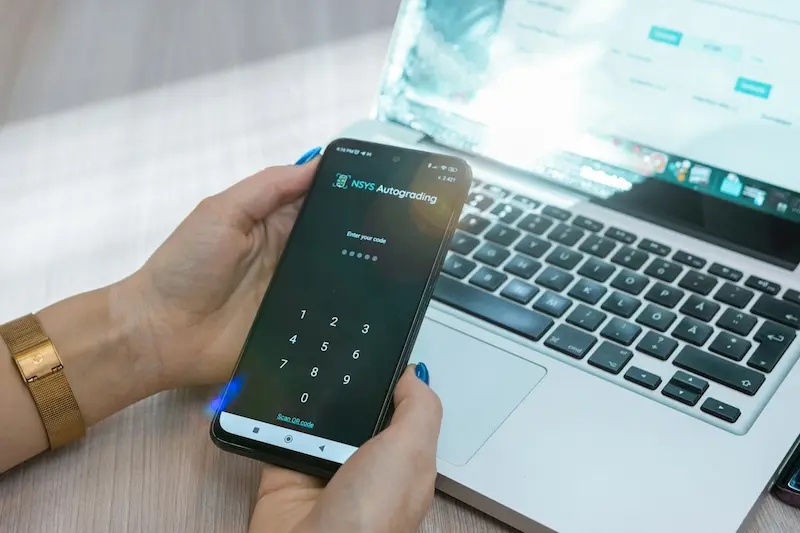
When you’ve finished using your online banking, sign out properly rather than just closing the tab or window.
This matters even more if you’re using a shared computer — at a library, in a hotel, or at a family member’s home. Simply closing the browser doesn’t always end your session, which could leave your account accessible to the next person who uses the device.
Get into the habit of pressing Sign Out or Log Out every single time.
11. Keep Your Banking Information Organised Safely
It’s useful to keep a private record of your important banking details in case you ever need them in an emergency. This might include:
- The names and contact numbers of your bank or banks
- Account recovery information
- Emergency contact numbers printed on the back of your cards
Keep this information somewhere secure at home — not on your phone or computer, where it could be accessed if the device were lost or stolen. A password manager is a good digital option if you prefer to store things electronically.
Common Online Banking Mistakes to Avoid
Here’s a quick summary of habits that can weaken your online banking security:
- Using the same password for your bank and other accounts
- Ignoring software and app updates
- Staying permanently logged in on your phone or computer
- Sharing your banking login details with anyone, even family
- Clicking links in emails or texts claiming to be from your bank
- Using public Wi-Fi for financial transactions
Small, consistent habits go a long way. You don’t need to do everything at once — start with the ones that feel most manageable and build from there.
Conclusion
Online banking is safe and convenient when you follow a few simple practices. Use strong, unique passwords. Enable two-factor authentication. Check your account regularly. Be cautious about unexpected calls or messages. And always sign out when you’re done.
None of these steps call for technical expertise. They just need a little care and consistency — and once they become a habit, they take almost no time at all.
For more free guides on internet safety, computer help, and printer troubleshooting, visit OnlineSafeGuide.com.
This article is provided for educational and informational purposes only. OnlineSafeGuide.com is an independent educational website. We are not affiliated with any bank, financial institution, or technology company mentioned in this guide. Always follow your bank’s official guidance for account security.
Frequently Asked Questions
Is online banking safe for seniors?
Yes — online banking is safe when basic security habits are in place. Using a strong password, enabling two-factor authentication, and checking your account regularly are the three most important steps. Banks also run their own fraud detection systems in the background to help protect your account.
How often should I check my bank account?
A quick check every two or three days is a good habit. At the very least, go through your statement carefully once a month. The sooner you spot an unusual transaction, the faster your bank can act on it.
What is two-factor authentication?
Two-factor authentication (2FA) means that when you log in, you need two things: your password, and a second confirmation — usually a code from an app or a fingerprint scan. Even if someone else knows your password, they can’t get in without that second step. Most banks now offer this, and it’s well worth switching on.
Should I use public Wi-Fi for banking?
It’s best to avoid it. Public Wi-Fi networks — in coffee shops, hotels, or libraries — aren’t as secure as your home connection. If you need to check your account urgently while out, use your mobile phone’s data connection rather than public Wi-Fi.